Focus You Cannot See: A Sticky Header Hiding the Focused Link (WCAG 2.4.11)
Keyboard focus lands on a link completely under a sticky header, and VoiceOver still reads it. Why that fails WCAG 2.4.11, which CSS line fixes it, and how to test.
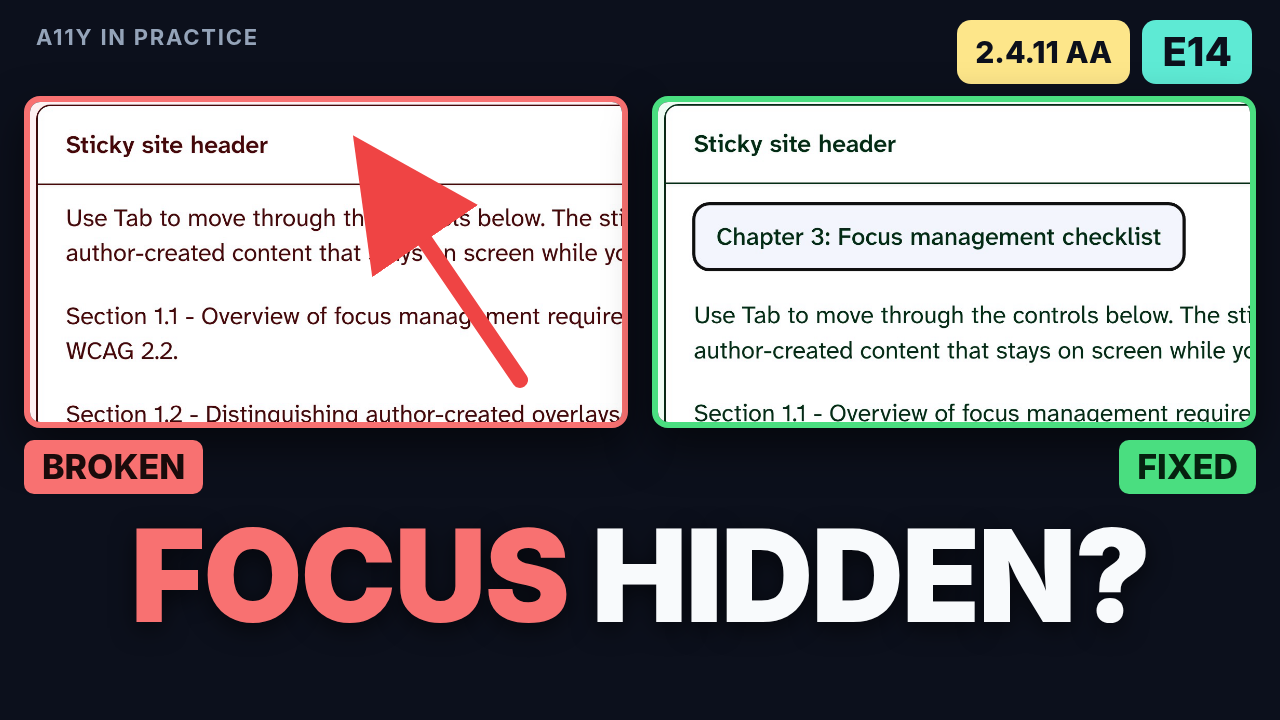
https://www.youtube.com/watch?v=mmhm6vEetgw
Focus is on a link right now. You cannot see it. The header is sitting on top of it.
The previous episode ended on exactly that: focus you cannot see. Episode 8 was about where focus goes when you use a skip link. This one is about whether you can see it when it gets there.
Everything below uses the Focus Not Obscured lab. The hero is Case 1: a scroll region with a header pinned across the top, and a link as the first thing inside it. The demo header is an absolutely positioned overlay rather than position: sticky, but it behaves the same way: it stays put while the content scrolls underneath.
The broken case: focus under the header
Follow the lab's own steps. Scroll the Broken Case 1 region to the bottom, press Tab to reach Continue reading, then press Shift+Tab to go back to the chapter link.
The region scrolls to the top, and the link, "Chapter 3: Focus management checklist", lands directly under the header. In a headless Chrome 156 run of the lab on 21 November 2026, the whole link sat inside the header's area. Focus is on it. Its focus ring is drawn. Nothing on screen shows either.
To prove where focus is, open Chrome DevTools, find the focused element (in the Console, document.activeElement), and hover it in the Elements panel. Chrome's own highlight box appears under the header.
What VoiceOver says
The lab's VoiceOver on Mac capture for this exact step, dated 29 June 2026 and taken in Arc, reads:
link, Chapter 3: Focus management checklist
Role and name are both right. The link has an accessible name, and a screen reader announces it. If your only test is "does VoiceOver read it", this case passes.
The lab's capture for the fixed case announces the same link name. Listening cannot tell the two cases apart. The difference is only on the screen, and that is exactly who this criterion protects: sighted keyboard users, switch and speech input users, and people zoomed in who follow focus to know where they are.
The rule: WCAG 2.4.11
Success Criterion 2.4.11 Focus Not Obscured (Minimum) is new in WCAG 2.2, at Level AA:
When a user interface component receives keyboard focus, the component is not entirely hidden due to author-created content.
Three phrases do the work:
- Entirely hidden. At AA, part of the component may be covered and it still passes. The W3C Understanding document still asks authors to reduce how often and how much focus is partly covered.
- Author-created content. Your sticky header, your cookie bar, your chat widget. Content you put on the page.
- The component. The criterion checks the focused component itself, not the focus indicator around it. The Understanding document adds that if the focus indicator is fully obscured, it would likely fail 2.4.7 Focus Visible as well.
The AAA version, 2.4.12 Focus Not Obscured (Enhanced), removes the allowance: "no part of the component is hidden by author-created content." Report against the level you are testing to.
The fix, and which line does the work
Fixed Case 1 uses the same header, the same link and the same steps. After Shift+Tab, the link sits below the header with its ring in view. In the 21 November run, the whole link was visible, which is more than the AA minimum asks.
This is the lab's fixed Case 1 snippet:
<div class="relative overflow-hidden rounded-md border bg-background">
  <header
    id="focus-obscured-fixed-case1-header"
    class="pointer-events-none absolute inset-x-0 top-0 z-20 border-b bg-background px-4 py-3 text-sm font-semibold shadow-sm"
  >
    Sticky site header
  </header>
  <div
    id="focus-obscured-fixed-case1-scroll"
    class="h-72 overflow-y-auto scroll-pt-14"
  >
    <div class="space-y-4 px-4 pb-3 pt-14 text-sm">
      <a
        id="focus-obscured-fixed-case1-target"
        href="#focus-obscured-fixed-case1-target"
        class="inline-block scroll-mt-14 rounded-md border border-primary/40 bg-primary/5 px-3 py-2 text-sm font-medium underline-offset-4 hover:underline"
      >
        Chapter 3: Focus management checklist
      </a>
    </div>
  </div>
</div>
Compared with the broken snippet, two things are added, scroll-pt-14 on the scroll region and scroll-mt-14 on the link, and the content's top padding changes from pt-0 to pt-14. The lab is explicit about which one matters:
pt-14 on the content area offsets the link below the header and is what keeps it visible in this demo.
You can check that yourself. In DevTools, untick pt-14 on the content and repeat Shift+Tab: the link disappears under the header again. In the 21 November run, unticking scroll-pt-14 and scroll-mt-14 instead left the link clear of the header.
The reason is geometry. The link is the first thing in the region. Shift+Tab scrolls the region to the very top, and it cannot scroll any higher. No amount of scroll padding can move the link down. Only space reserved under the header can. W3C Technique C43 also uses CSS padding alongside scroll-padding.
Where scroll-padding still matters
The lab calls it "a complementary technique for in-page anchors further down the page", and that is where it earns its place. When focus moves to an element the browser has to scroll into view at the top edge, scroll-padding-top on the scroll container tells the browser to stop short of the header. scroll-margin-top does the same for a single element.
For a page-level sticky header, the scroll container is the page itself:
/* Illustration, not lab code. Match the value to your header height. */
html {
  scroll-padding-top: 4rem;
}
Keep the sticky header if your design needs it. 2.4.11 does not ban sticky content. It asks you to make room for focus. The lab lists other options too: "Alternative fixes: collapse chrome on focus, reposition fixed UI, or ensure focused item scrolls to center."
Cookie banners and user-opened content
The same rule covers the bottom of the screen. The Understanding document names cookie banners directly: a notification implemented as sticky content "will fail this success criterion if it entirely obscures a component receiving focus." Ways of passing include making the banner modal, so it must be dismissed before the user moves on, or using scroll padding so it does not overlap other content.
The lab's Case 2 puts a cookie bar at the bottom of a scroll region. How far a browser scrolls a newly focused element is up to the browser, and in the 21 November Chrome run, tabbing to the Accept button scrolled it fully above the bar. Try it in the browsers you test with, and report what you actually see.
Content the user opens is treated differently. Note 2 of the criterion says that if the user can reveal the focused component without advancing keyboard focus, for example by pressing Escape to close a chat panel, it is not considered hidden. A sticky header the author placed gets no such pass.
A two-minute check
- Put the mouse away.
- Tab and Shift+Tab through every page that has a sticky header, footer, banner or chat widget. Go backwards as well as forwards: Shift+Tab is what pushed the lab's link under the header.
- Repeat zoomed in and in a narrow window, where sticky content takes a bigger share of the screen.
- When focus disappears, confirm where it is with
document.activeElementand the DevTools highlight. - If the focused component is entirely hidden, report 2.4.11 and name the content that covers it. If only the indicator is hidden, check 2.4.7 too.
- A screen reader pass is not evidence here. VoiceOver will read the link either way.
The next episode moves from visibility back to structure: radio buttons with no question, and what a missing fieldset legend costs.
Keep practicing
Practice this in the Focus Not Obscured lab on wasexamprep.com, and review Within-Page Navigation for the related WAS rules. For where focus should land in the first place, read A Skip Link That Doesn't Land Is Not a Bypass.
Watch the full walkthrough and subscribe to the A11Y in Practice YouTube channel for more hands-on accessibility episodes.
A11Y in Practice and wasexamprep.com are independent educational resources. They are not affiliated with or endorsed by IAAP (International Association of Accessibility Professionals).
Comments
Join the discussionNo comments yet. Be the first to comment.